
Google Tag Manager basics for implementation, structure, and reliable tracking
If you are researching Google Tag Manager, you are probably at a stage where tracking feels important but also uncertain. You may already have analytics tools, advertising platforms, or pixels installed, yet you are not fully confident that the data you see truly reflects how users interact with your website. Google Tag Manager exists to solve exactly that problem. It is not an analytics tool and it is not a reporting platform. It is the control layer that defines how tracking is implemented, when data is collected, and what information is sent to the tools you rely on for decision making.
Understanding Google Tag Manager basics is less about learning individual features and more about understanding structure. A well structured GTM setup makes tracking easier to manage, easier to scale, and far more reliable over time. When the structure is unclear, tracking becomes fragile, reports become questionable, and marketing decisions are based on assumptions rather than evidence.
How Google Tag Manager is structured and why structure matters
At its core, Google Tag Manager is built around the idea of separating tracking logic from website code. Instead of embedding multiple scripts across different pages, GTM uses a single container that holds all tracking logic in one place. This container acts as the central connection between your website and all analytics and marketing platforms that receive data.
This structural approach brings clarity and control. Rather than modifying website code every time a new event needs to be tracked, changes can be handled inside GTM. This reduces dependency on development resources and allows marketing teams to move faster while keeping tracking organized.
From an implementation perspective, structure is what prevents chaos. When tracking is added without a plan, containers slowly fill with unused tags, overlapping triggers, and unclear naming. Over time, no one is sure which events are still relevant or whether reported conversions are accurate. A strong structure avoids this by making every tracking decision intentional and aligned with business goals.
The container as the foundation of every GTM implementation
Every Google Tag Manager setup starts with a container. The container is the workspace that holds all tags, triggers, and variables for a website or application. Once installed, it becomes the single place where tracking behavior is defined.
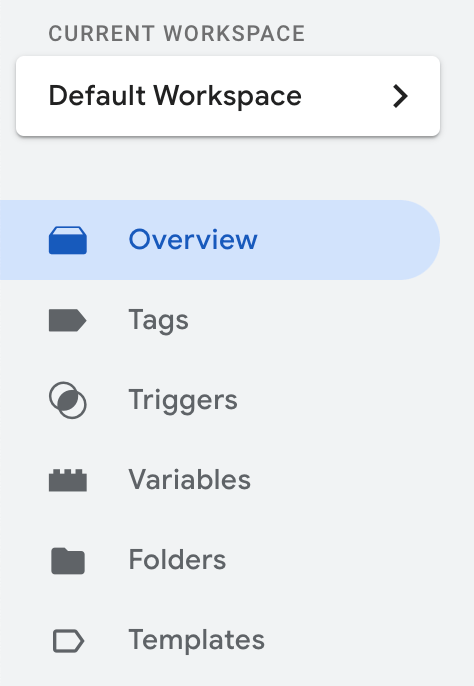
For businesses, this has important implications. A well organized container makes it easy to understand what is being tracked and why. It also makes collaboration easier, since multiple stakeholders can review tracking logic without touching website code. In practice, this means fewer errors, faster iterations, and better long term maintainability.
Containers should be treated as long term assets, not temporary solutions. Clear naming, logical grouping, and consistent structure make it possible to revisit a setup months later and still understand how it works. This is especially important as tracking needs evolve and additional tools are introduced.
Understanding tags triggers and variables in real implementations
Google Tag Manager is built around three core components that work together as a system. Tags send data to external platforms. Triggers define when those tags should fire. Variables provide the additional information needed to make the data meaningful.
Tags are responsible for communication. They define which platform receives data, which event is sent, and which parameters are included. Each tag should exist for a clear reason tied to a measurement goal. Tracking everything simply because it is possible often leads to noisy data and unclear reporting.
Triggers define the logic behind measurement. They specify the conditions under which a tag activates. This is where many tracking issues originate. Choosing the wrong trigger can inflate conversions, miss key events, or fire data at the wrong time. For reliable measurement, triggers should reflect outcomes rather than attempts whenever possible.
Variables provide flexibility and accuracy. They store values such as page URLs, element identifiers, form names, transaction values, or user context. Variables allow a single tag to adapt to multiple situations, reducing duplication and improving consistency across reports.
When these three components are designed together, tracking becomes predictable. A user action occurs, GTM evaluates conditions, relevant data is enriched with context, and the correct event is sent. This clarity is what separates clean implementations from fragile ones.
Designing data flow that supports real business decisions
Effective GTM implementation starts with measurement design. Before creating tags, it is essential to define what actions actually matter to the business. These might include lead submissions, completed purchases, booking confirmations, or meaningful engagement with key content.
Each important action should be mapped to a clear event definition. What exactly counts as success. Which user behavior confirms that success. What data is required to analyze performance later. This planning stage prevents the common mistake of tracking surface level interactions that do not reflect outcomes.
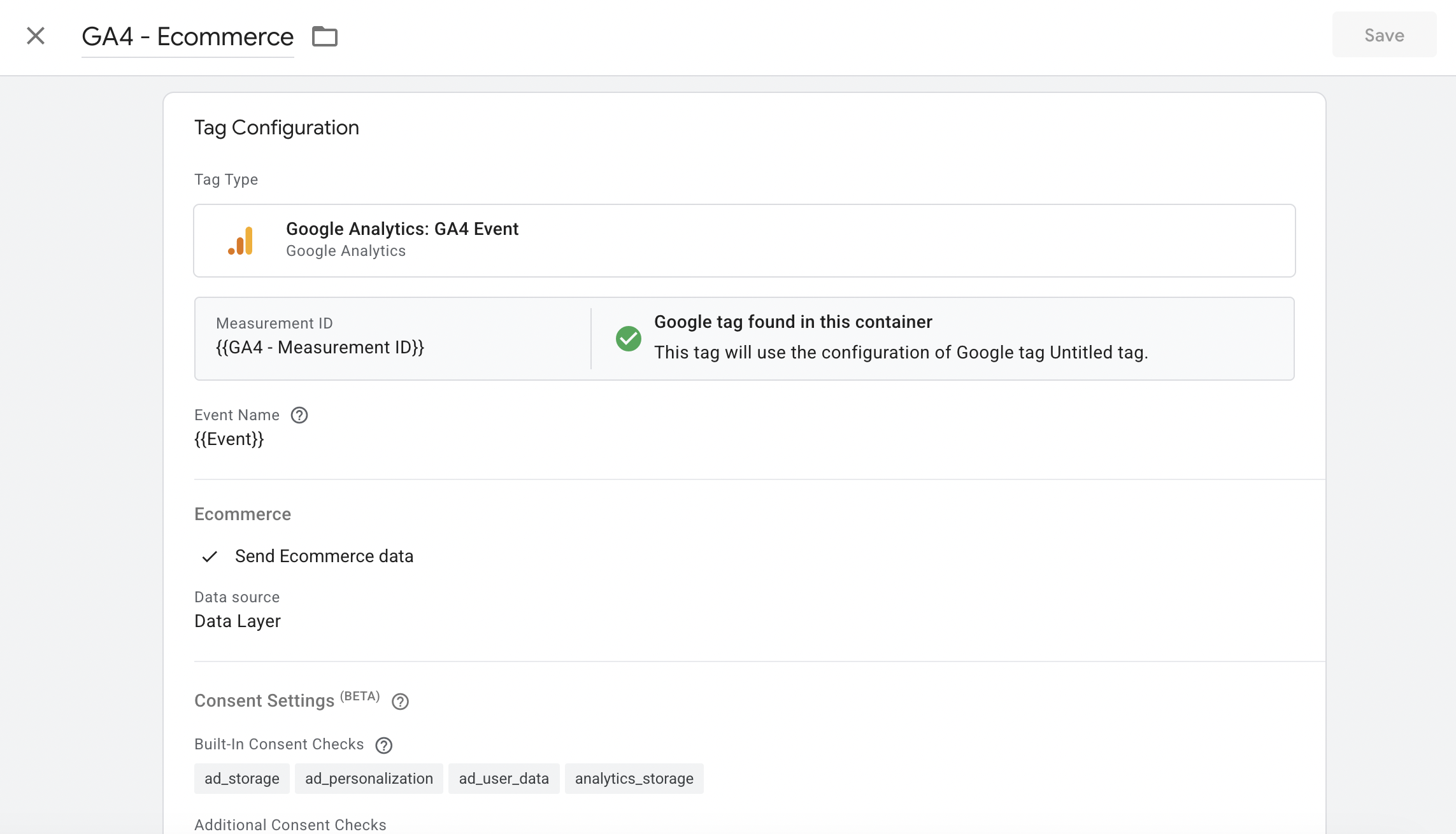
Another critical consideration is consistency. Events should follow a logical naming structure and use parameters consistently across similar actions. This makes reports easier to interpret and prevents confusion when comparing performance across channels or time periods.
Testing is equally important. GTM preview mode should be used to validate that events fire under the correct conditions and that data is sent accurately. This includes testing on different devices and accounting for consent behavior where applicable. Reliable data depends on disciplined validation, not assumptions.
Why strong GTM fundamentals matter as businesses grow
As marketing activity increases, tracking complexity grows with it. More campaigns, more platforms, and more user journeys place greater demands on measurement. Without a strong GTM foundation, this growth leads to inconsistent data and unreliable insights.
In our work as a digital agency, we often find that improving fundamentals has a greater impact than adding new tracking. Simplifying structure, aligning events with real outcomes, and cleaning up existing logic often unlock clearer reporting and better optimization opportunities.
When tracking is reliable, teams can confidently allocate budgets, evaluate performance, and test new ideas. When tracking is unreliable, even the best marketing strategies struggle to deliver results.
When it makes sense to work with a GTM expert
While Google Tag Manager is accessible, implementing it correctly requires experience. Small structural mistakes made early often compound over time, leading to duplicated events, missing conversions, or reports that no longer reflect real user behavior.
Working with a GTM expert helps ensure that tracking supports decision making rather than creating confusion. An experienced specialist evaluates trigger logic, variable usage, event consistency, and overall structure. The goal is not just to make tags fire, but to make sure data answers the right business questions.
In our digital agency, we regularly help businesses review and improve their Google Tag Manager implementations. In many cases, the tools are already installed, but the structure lacks clarity or alignment with business goals. By refining the setup, businesses gain cleaner data and more confidence in their reporting.
If you are currently implementing Google Tag Manager or want to be sure your existing setup is built correctly, expert guidance can save time, budget, and frustration.
Contact us to discuss your Google Tag Manager implementation